Set up the project
Enter customer, project type, dimensions, height, and the core job information.
Deck takeoff workflow for contractors
Custom Deck Estimator turns project measurements and build selections into an organized, contractor-facing material takeoff. Review framing, decking, fascia, stairs, railing, hardware, fasteners, quantities, costs, and purchase-list information without rebuilding the same job across notes and spreadsheets.
No credit card required. Contractors remain responsible for final quantity, code, availability, and field verification.
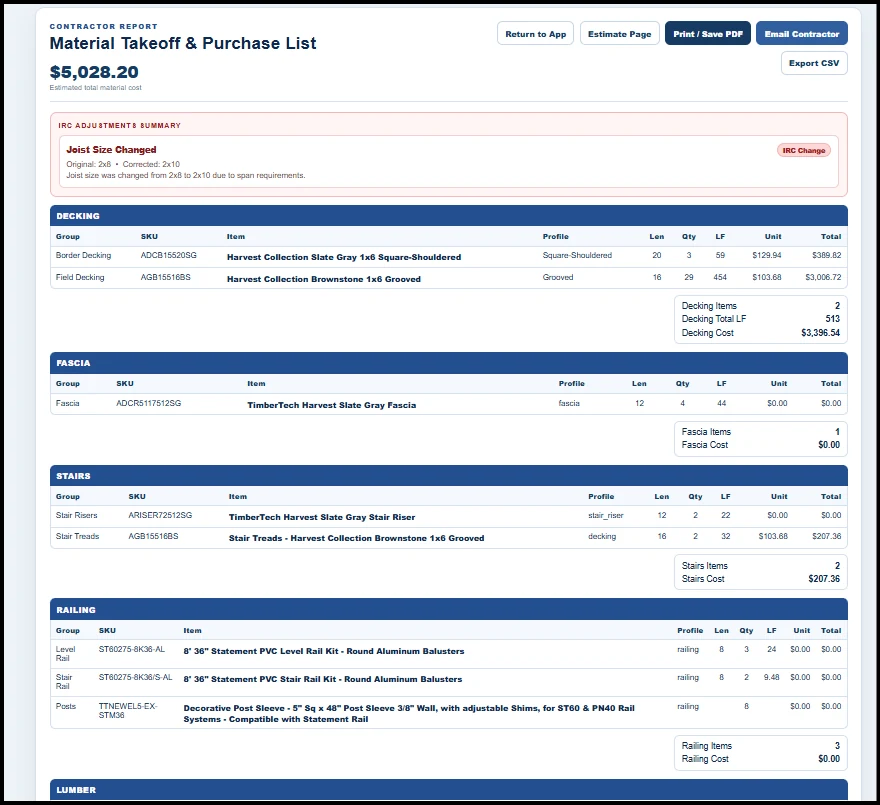
From project inputs to material list
A useful deck takeoff is more than a board-count calculator. It should connect the geometry and project selections to the materials a contractor actually needs to review before ordering, pricing, and building the job.
See the source of the quantities
The Custom Deck Estimator workflow starts with the project itself. Layout, dimensions, stairs, railing edges, framing inputs, decking choices, and other selections feed the estimate so the material takeoff is connected to the job instead of living as a separate spreadsheet.
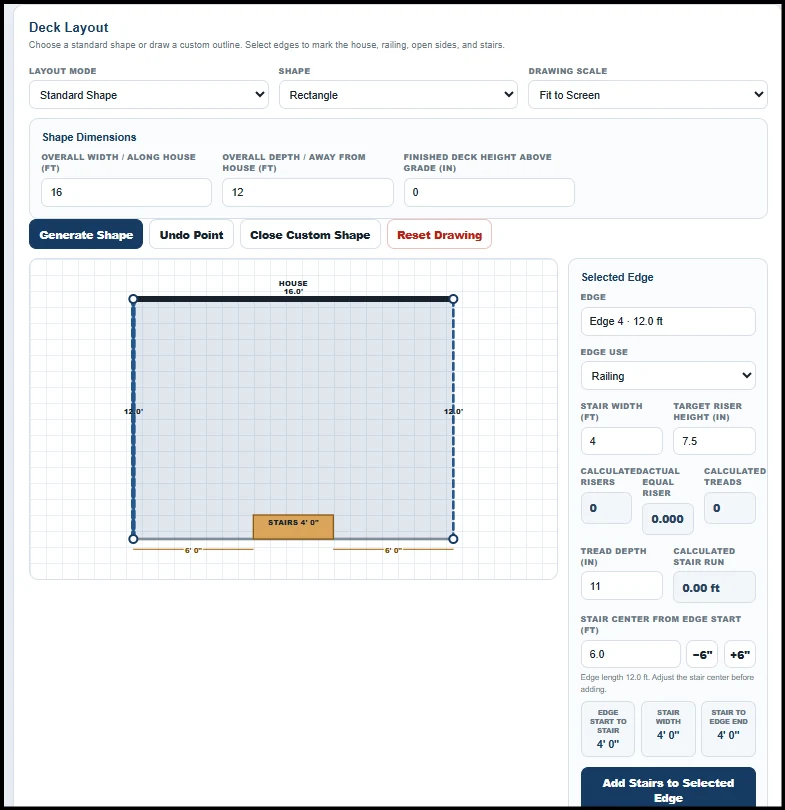
How the takeoff workflow works
Keep the inputs, material logic, pricing, and review process connected from the start.
Enter customer, project type, dimensions, height, and the core job information.
Choose structure, decking, fascia, risers, stairs, railing, labor, and added items.
Generate categorized quantities from the connected estimate inputs and configured catalogs.
Check quantities, costs, SKUs, project notes, availability, and job-specific adjustments before final use.
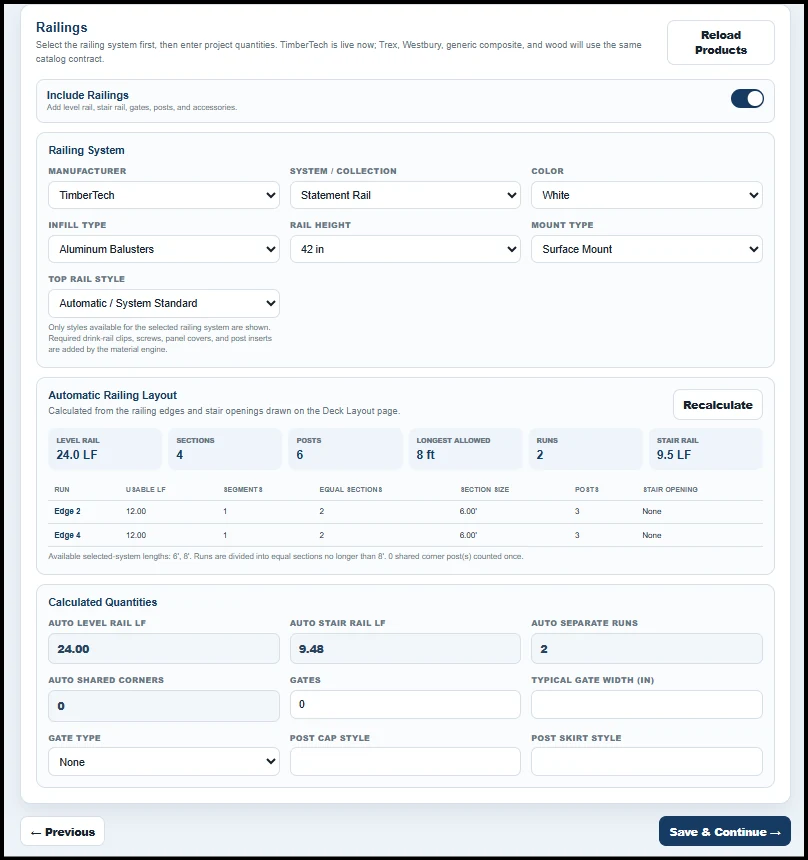
One takeoff instead of scattered calculations
Deck estimates get messy when framing lives in one worksheet, railing is calculated in another, decking comes from a supplier calculator, and the final price is rebuilt again somewhere else. Custom Deck Estimator is designed to keep those moving parts connected so the contractor can review the job as one estimate.
Manual spreadsheet vs connected takeoff
Built for the people actually pricing decks
The workflow is aimed at contractors who need to turn a site visit and product conversation into something they can actually price, review, order, and present.
Move from measurements and product choices into a reviewable material plan without rebuilding the job after every site visit.
Use a deck-specific workflow when a project includes framing, composite decking, stairs, fascia, and railing systems.
Keep project assumptions visible so the person pricing the job can review the same inputs that generated the material list.
Frequently asked questions
A deck material takeoff is a project-specific list of the materials and quantities needed to build or resurface a deck. Depending on the project, that can include structural lumber, decking, fascia, risers, stairs, railing, hardware, fasteners, footings, and other job-specific items.
A basic calculator usually handles one quantity, such as decking boards or railing footage. Deck takeoff software connects multiple project inputs and material categories so the contractor can review a broader bill of materials or purchase list for the same job.
For supported new-deck workflows, the application can generate structural material information from the project inputs and configured structural logic. Contractors must still verify local code, site conditions, engineering requirements, and final specifications before relying on the material list.
The available decking, fascia, riser, fastener, and railing selections depend on the catalogs configured in the application. The estimator is designed to keep those supported product selections connected to the same project and material review workflow.
Custom Deck Estimator uses the contractor account's configured pricebook for estimate pricing. This allows the material review and estimate workflow to reflect the contractor's pricing setup instead of relying on one universal national price.
No. Software can assist with estimating, material planning, and system-based structural checks, but the contractor remains responsible for verifying applicable codes, site conditions, engineering requirements, manufacturer instructions, and final order quantities.
Yes. In Custom Deck Estimator, the material planning workflow is part of the same project used for contractor pricing and estimate review, helping reduce the need to recreate the job in a separate estimating file.
Try Custom Deck Estimator free for 5 days. No credit card required.